Unpaid invoice: the approval in chat
A client said yes to a price, a deadline, or a change, in the chat. The invoice is still the invoice.
Keep the dated thread before it disappears. This is not a ruling on who must pay.
The thread can show an approval: an amount, what it covers, a date. It does not replace the invoice, or advice.
What the thread can show
A price accepted, a delivery date, a « let's move it to Tuesday ». Those lines help you find the exchange. They do not replace a signed quote or an invoice.
The yes
The client's sentence, with its time.
The amount
What it covers, written in the thread, not from memory.
The change
If they ask for something else later, that message counts too.
If the same job also ran over texts, do not keep two versions that disagree without saying so. The method is in keep a dated copy.
Find the line where the client says yes, and the one where the amount appears. If they fall on different days, keep both, not a summary.
Copy it while the thread is there
Work chats vanish when you change phones or when someone clears the thread. Export first. Set the original aside.
On WhatsApp, the steps are here: export the chat.
Copy it while the thread is still open. A closed account or a cleared chat does not make the invoice clearer.
In the copy
A clear reminder, then advice
Write the reminder in the same thread, with the invoice number and the due date. Keep that reminder too. Stay factual.
If the silence lasts, an adviser or a collections service says what comes next in that country. The PDF does not decide it. On the buyer's side, see messages with a seller.
A short reminder can point back to the sentence and the date, without adding to them. If the silence lasts, what comes next belongs with someone who knows your situation. The copy method: keep a dated copy.
The thread and the invoice, side by side
A PDF of the thread does not become the invoice. It helps you find what was written.
What you can reread
Open the approval, then the reminder. If the amount changed between them, both messages stay. You do not keep only the one that suits you best.
The approval
The sentence and the time.
The reminder
Later, without rewriting the approval.
The invoice
A separate document, set next to the thread.
Find the line, then the book
The approval is there, word for word, with the time on the bubble.
Search
The word, the name. You land back on the bubble.
The time
The message's time, not the screenshot's.
The book
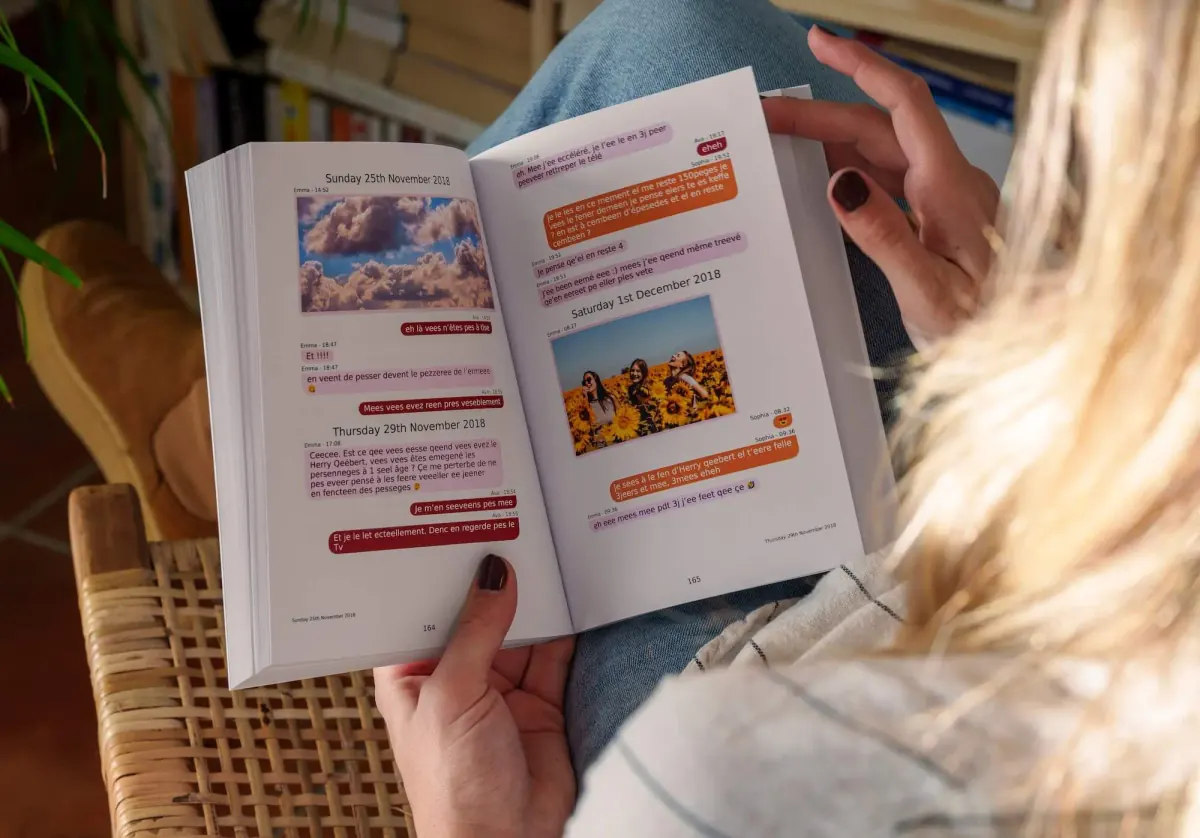
To reread, in your hands. The PDF is included. The outcome is decided elsewhere.
In the app, a word or a first name is enough to find the bubble. Every message keeps the date and time from the chat. You choose where the book starts and where it stops, then you flip through the preview. Photos stay on the page. A voice note or a video opens from the QR code. The PDF comes with the book. The book is for holding the conversation and rereading it. It does not say what a court, a consulate, a bank or an insurer will do with it.
Common questions
Does the chat replace the invoice?
No. It shows what was said around it. The accounting document is the one you issued.
What if the client goes quiet?
Keep the agreement, the reminders, the dates. Do not delete the chat to « start fresh ».
Does a PDF force payment?
No. It makes the thread easier to read for you, for an adviser, or for a mediation service.
Is a reminder enough?
It shows that you asked again. The approval, if it is in the thread, has its own date. You read both. You do not mix them.
A copy you can read again
You often hear that an export belongs in a folder, and that that's enough. The day you need the line, with its date, a book reads better than a file.
MonLivreSMS puts the thread back on the page, with the dates and the times. The PDF is included. This is not legal advice, and the technical side is on us.
-
01
Bring the messages together
WhatsApp, texts, Messenger: we can help you get them out of the cloud, and it stays private.
-
02
You choose
The dates, the words, the photos: it's your story, and you see it before you order.
-
03
The book arrives
The book is on its way, and the PDF is already there.
The thread, with its dates
You turn the pages, and the book keeps the order.
The line, the date, the time. You keep a copy you can read. This is not legal advice.
Create my book