
iPhone · SMS & iMessage → book
Turn your iMessages into a printed book
Export SMS and iMessages from your iPhone (Mac or PC) and print them as a book you can hold. A short guide walks you through it.
From 59.99 $
Free shipping Photos, videos & voice notes included
How to export and download your iPhone SMS and iMessages in 2026
Complete, free guide to saving your SMS and iMessage history from your iPhone and turning them into a personalized paper book. Tutorial updated in 2026 with screenshots.
To export your SMS messages from an iPhone, you need to use a computer: you can't do this directly from your phone.
Do you have a Mac or PC? Select your type of computer to discover the steps adapted to your configuration.
Tutorial for exporting iMessages/SMS to a Mac
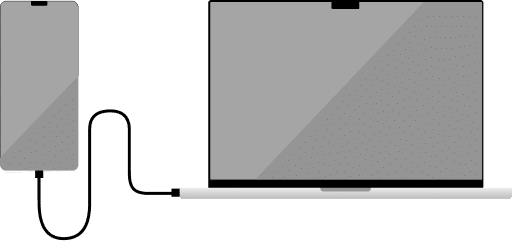
- Connect your iPhone to your Mac
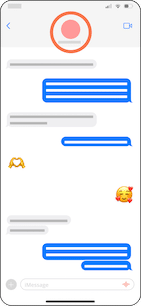
- Download photos from iCloud to your iPhone:
- Open the Messages application on your iPhone
- Select the desired chat
- Click on the contact name

- Scroll down

- Click on Upload to import all photos
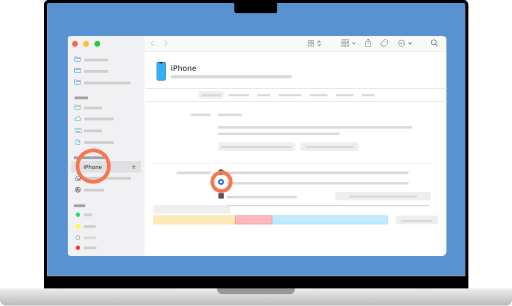
- Open the Finder and select your iPhone in the sidebar
- Deactivate "Encrypt local backup" and activate "Backup all iPhone data to this Mac".
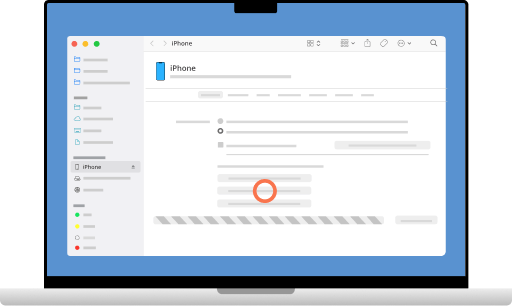
- Click on Save now

- Once the backup is complete, go to MonLivreSMS
- The software will suggest the chat of your choice to create your book.
- You can then personalize your book and order your printed book.
Tutorial for exporting iMessages/SMS to PC
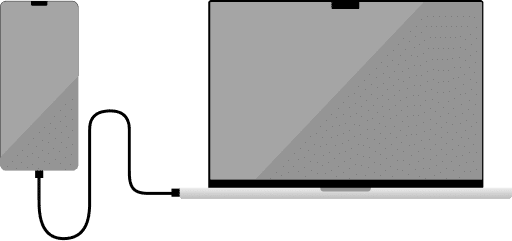
- Connect your iPhone to your PC

- Download our MonLivreSMS application here: MonLivreSMS
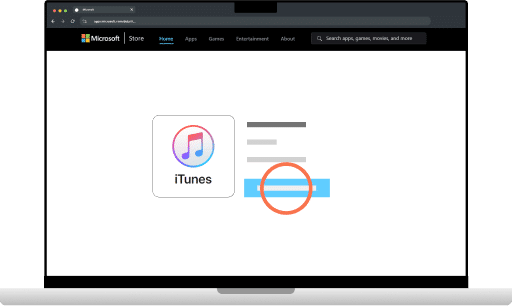
- Make sure you have iTunes installed

- Launch iTunes

- Log in with your Apple credentials, validating the connection on your iPhone if necessary

- Once your iPhone is connected to iTunes, click on Continue

- Go to Summary and deactivate the "Encrypt local backup" option if checked
- Click on Save now

- Once the backup is complete
- Open the downloaded folder MonLivreSMS
- If a security warning appears, click on Additional information and then on Run anyway
- The software will ask you to choose the chat of your choice to create your book.
Turn your SMS and iMessages into a paper book
Now that you know how to export your iPhone chats, create your own personalized book in just a few clicks. Print your memories in a premium-quality bound book that will stand the test of time.
I create my Mon Livre SMS nowFrom iMessage to a printed book
Back up your iPhone on a Mac or PC, shape the book, and it comes to you. No tech skills needed.










Gather your memories
Follow our Mac or PC tutorial to back up SMS and iMessages from your iPhone.
Make it yours
Colors, dates, words: it's your story, your way.
It comes to you
Your book ships anywhere in the world. And you already have it as a PDF.
Why print
your iPhone texts?
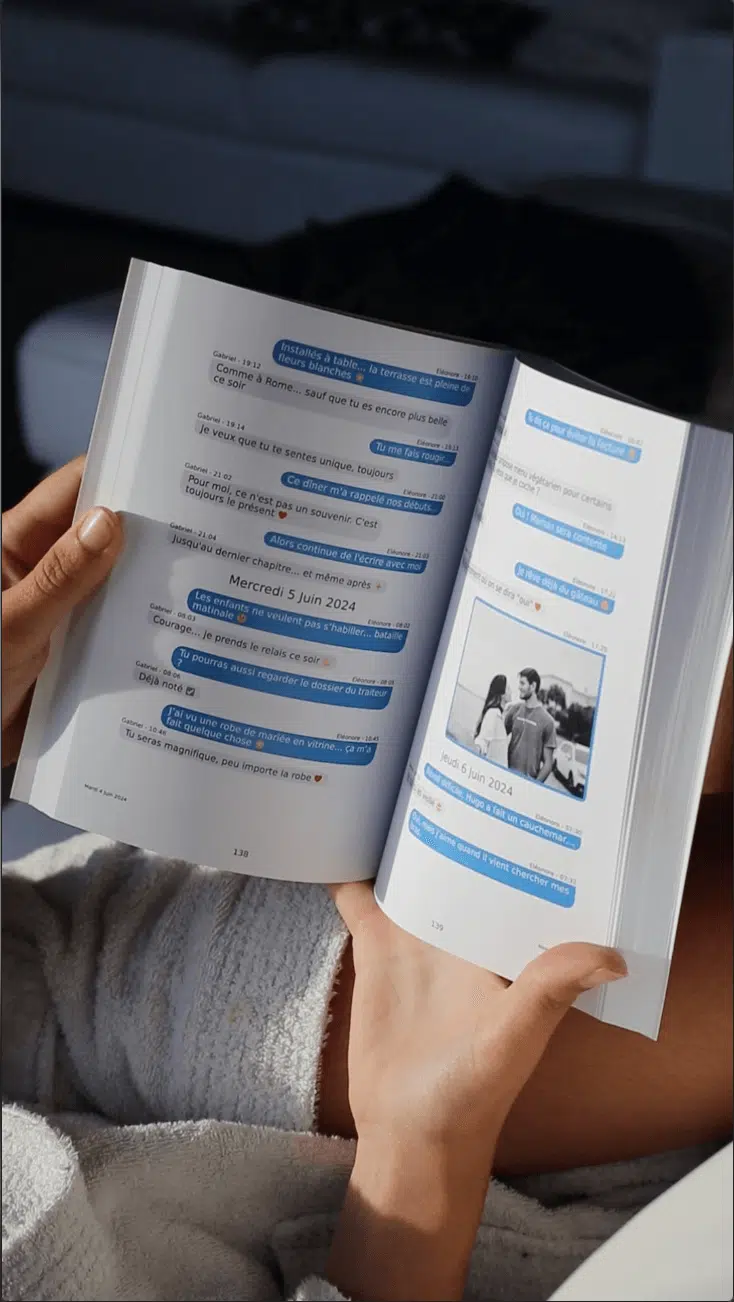
Couples, friends, family. Your iMessage chats hold photos, reactions and the moments that stuck. Turn them into a book you can hold. Mac or PC, we walk you through it.
Looks like iMessage
Blue and green bubbles, times, reactions and photos, printed with care
Mac or PC
Two short tutorials, one for each computer. Local backup, not encrypted.
100% private
Processed automatically. No one reads your conversations.
Estimate your messages,
we'll calculate books and price
They trust us
worldwide

expertise
reviews
books
I am genuinely impressed. The book looks beautiful, setup took less than 10 minutes, and delivery was fast and careful.
I gave this as a Valentine's gift and it landed perfectly. Personal, meaningful, and full of moments we thought were gone.
I've ordered several volumes over the years. Each one feels special, and seeing our relationship evolve page after page is priceless.
After losing my husband, rereading our messages in print gave me comfort I did not expect. It feels like holding part of our life.
I lost my phone with years of messages. Thankfully I had already printed our chats. What a relief to still have those memories.
My wife had tears in her eyes when she opened it. This is not just a present, it's a memory book we will keep forever.
Ready to print your iMessages?
Create my iPhone bookFree shipping · Digital PDF included