How to Print Text Messages: The Complete Guide (iPhone & Android)
Our phones hold treasures: first words with your partner, jokes with friends, or last messages from someone you've lost. Whether you want a physical keepsake, an original gift or legal proof, this guide covers every method - from tedious screenshots to a professional memory book or certified PDF export with MonLivreSMS.
1. Why print your text messages today?
In an age where billions of messages are sent every day, it's fair to ask: why put words meant for a screen onto paper? The reasons for turning chats into something tangible are often deeply personal:
The ultimate love gift
Printing your couple's SMS thread has become one of the most romantic gift ideas for Valentine's Day, a wedding anniversary or your dating anniversary. Nothing captures the arc of a relationship - first flirts, making it official, life plans - like a chronological collection of your messages. It's your own love story in book form.
Memory and grief
When someone close passes away, their phone often holds their last words and voice notes. Printing their SMS saves those priceless memories outside the digital world, safe from phone failures or accidental data wipes.
Legal value (court evidence and PDF version)
Can printed text messages hold up in court? In many jurisdictions, SMS messages are admissible evidence (employment disputes, family cases, harassment claims).
However, plain screenshots are often rejected because they're easy to fake and hard to read in order. That's where MonLivreSMS's PDF (Digital Book) export is essential. Our tool produces a clean, paginated PDF with precise timestamps for every message - ideal for your lawyer or a bailiff's certification.
2. Method 1: Screenshots (the false good idea)
The first instinct for 90% of people: take dozens of phone screenshots, email them, paste each one into Word, then print. It looks free on paper. In practice, it quickly becomes a nightmare.
- Extremely time-consuming: Imagine 400 screenshots just to print six months of a relationship…
- Chaotic layout: Images don't align on A4 and resolution is often blurry.
- Broken reading flow: Chat bubbles get cut off from one screenshot to the next.
- Ink drain: Printing your phone's dark or colourful wallpaper burns through cartridges fast.
- This method only makes sense if you have 2 or 3 short messages to print once in a while.
3. Method 2: Create a real SMS book (or PDF)
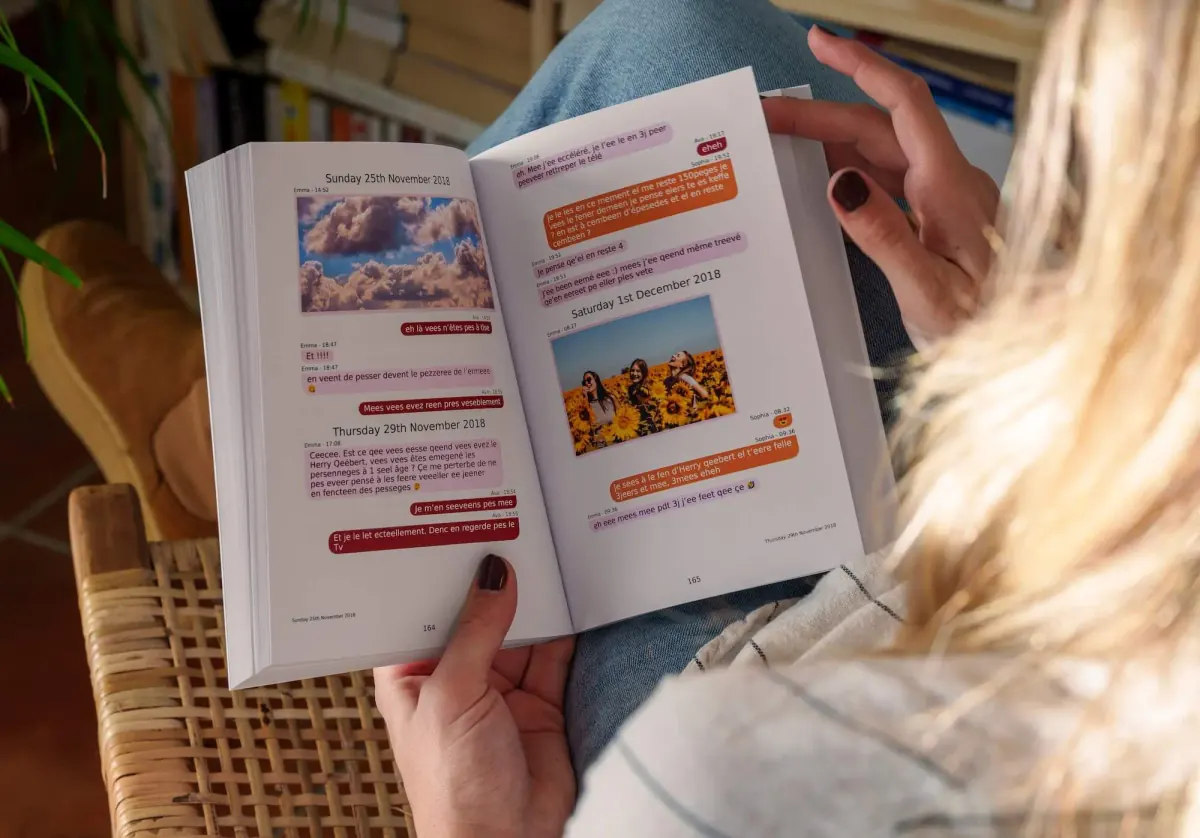
If you want to preserve months or years of chat in a beautiful format, professional tools can extract your raw data and auto-layout a printed book or PDF (Digital Book).
That's what MonLivreSMS does. No more DIY: our technology pulls your texts, emojis, shared photos and send dates, strips useless backgrounds and builds a publisher-quality layout that's pleasant to read and economical to print.
4. How to print a conversation from an iPhone (iOS)?
If you use an Apple phone, you've probably noticed there's no « Export » button in the Messages or iMessage app.
The secure iOS solution:
To work around Apple's restrictions (legally, without hacking), we built free desktop software for Mac and Windows.
- Make an unencrypted local backup of your iPhone on your computer (via iTunes or Finder on Mac).
- Launch our « MonLivreSMS » desktop app.
- The software scans your local backup and finds your conversations instantly.
- Pick the thread you want - it's sent to your secure creation space to become a book or PDF!
See our step-by-step iPhone tutorial
5. How to print SMS from an Android phone?
On Android devices (Samsung Galaxy, Xiaomi, Google Pixel, Oppo…), the OS is more open. Extraction is more direct - you don't even need a computer!
Download the Android MonLivreSMS app (certified APK on our site). Once installed, it reads your inbox, detects SMS and MMS, and lets you pick the conversation to preserve in a few taps. Chat-bubble layout is generated automatically in your account.
See our step-by-step Android tutorial
6. Printing from WhatsApp, Messenger or Instagram?
Love, friendship and work rarely stay on classic SMS alone. If your story (or dispute) lived on other apps, you can print those histories the same way. Explore our dedicated guides:








iPhone: there is no Export chat button
iMessage and SMS do not have the one-tap export WhatsApp offers. Screenshots show a screen, not the thread. Dates are often missing, and a long exchange becomes a stack of pictures. Printing from a Mac (the thread open in Messages) gives a cleaner PDF, but it is not a file you can lay out again later.
Backup tools can produce a CSV. Quality varies, and the file sometimes leaves your computer. Read how to tell if a converter keeps a copy. With MonLivreSMS, import is how the bubbles, the photos and a PDF get built. The iPhone and Android steps are higher on this page. For WhatsApp, start from the WhatsApp export.
- Screenshots alone drop context and some of the dates.
- A PDF printed from Messages on a Mac is readable, not easy to edit again.
- Keep a phone backup before you switch devices.
- A book includes the messages the import actually read.
Frequently asked questions (FAQ)
Are my messages and photos secure?
Absolutely. Data privacy is core to what we do. Your conversations are stored on secure servers so you can edit your book or document, and we have no direct access to their content. Your data is automatically deleted from our systems after printing, in line with GDPR requirements.
Can I order the PDF (Digital Book) only?
Yes! It's ideal if you need quick proof for your lawyer or a backup on your computer. You can order the digital PDF version of your conversation alone - delivered within minutes.
How long does printing a paper book take?
Extraction and digital layout (creating the virtual mock-up) happen instantly. Once you approve your book and place your order, professional printing in France usually takes 3 to 5 business days before shipping.
What if my conversation has 30,000 messages?
No worries - that's common for long-term couples. Our tool handles the full thread. If the book exceeds one volume (around 400 pages), your conversation is automatically split into « Volumes » (Volume 1, Volume 2, etc.), like a real literary saga.
Your texts read better as a book
You often hear that a screenshot is enough. We're sure a book reads better on a Sunday, without scrolling a phone.
MonLivreSMS lays your messages out, and you see it before the book or the PDF. The technical side is on us.
-
01
Bring the messages together
WhatsApp, texts, Messenger: we can help you get them out of the cloud, and it stays private.
-
02
You choose
The dates, the words, the photos: it's your story, and you see it before you order.
-
03
The book arrives
The book is on its way, and the PDF is already there.
From your texts to the book
We can help you get them out of the cloud.
Your words, your dates, your photos. We're sure there's something wonderful in there, and it reads even better later.
Start my SMS book