How to export / download your LinkedIn messages
Want to back up or download your LinkedIn messages? Follow this step-by-step guide: official browser export, then import into MonLivreSMS.
LinkedIn keeps your professional and personal messages. Here is how to download your chat history via the official export, then import it into MonLivreSMS.
1. Open LinkedIn in a browser
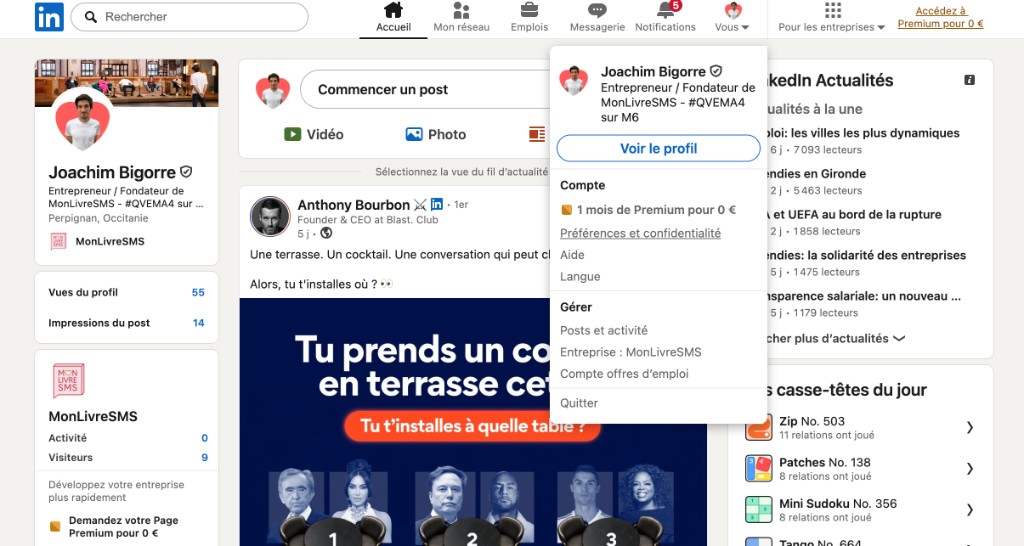
Export is not available in the mobile app. Use a browser, ideally on a computer.
Click Me → Settings & Privacy.
2. Open “Get a copy of your data”
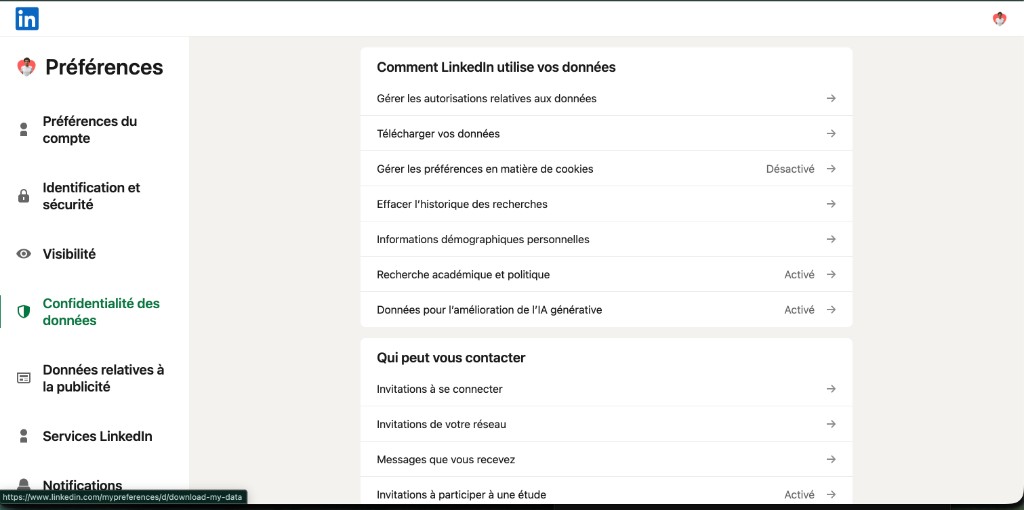
Under Data privacy, open Get a copy of your data. Direct link: linkedin.com/mypreferences/d/download-my-data.
3. Request an archive that includes Messages
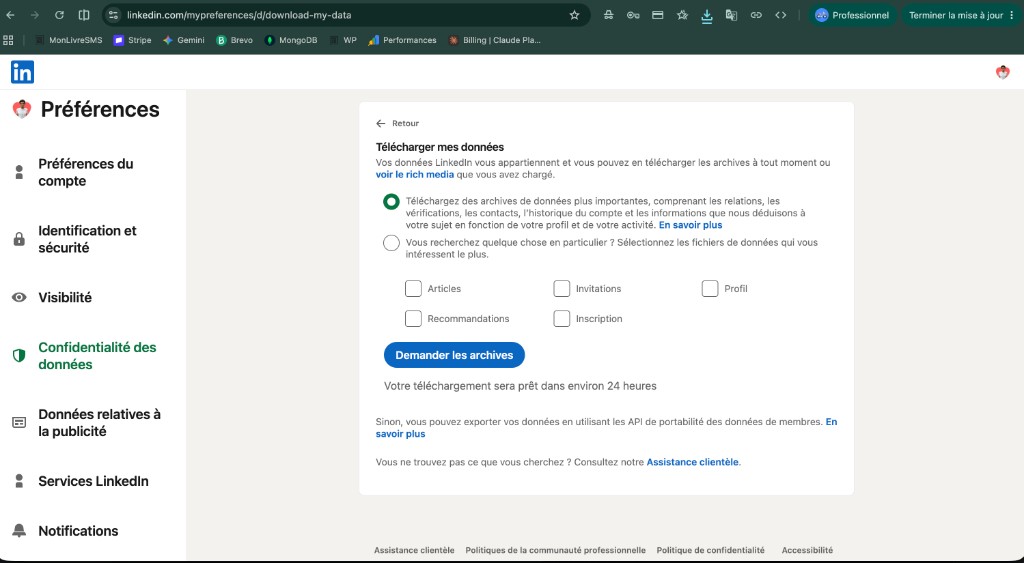
Select the files you need (tick at least Messages) or request a larger archive, then click Request archive.
Wait for the LinkedIn email (10 min to 24 h), download the .zip, and add it on MonLivreSMS without unzipping it.
Full illustrated tutorial: print LinkedIn messages into a book.
Frequently asked questions (FAQ)
Can I export LinkedIn messages from the mobile app?
No. The official export only works in a web browser (computer recommended). Open the Download your data page, or go to Me → Settings & Privacy → Data privacy.
How long does LinkedIn take to prepare the archive?
Usually between 10 minutes and about 24 hours. LinkedIn emails you the download link when it is ready.
Should I unzip the file before importing to MonLivreSMS?
No. Drop the .zip as-is on MonLivreSMS. The archive must contain messages.csv. You pick the conversation after upload.
Does LinkedIn export photos and attachments?
No. LinkedIn Messages export is text only. The book includes the text of your conversations.
Your texts read better as a book
You often hear that a screenshot is enough. We're sure a book reads better on a Sunday, without scrolling a phone.
MonLivreSMS lays your messages out, and you see it before the book or the PDF. The technical side is on us.
-
01
Bring the messages together
WhatsApp, texts, Messenger: we can help you get them out of the cloud, and it stays private.
-
02
You choose
The dates, the words, the photos: it's your story, and you see it before you order.
-
03
The book arrives
The book is on its way, and the PDF is already there.
From your texts to the book
We can help you get them out of the cloud.
Your words, your dates, your photos. We're sure there's something wonderful in there, and it reads even better later.
Start my SMS book